ASI360 Consulting

IM · Immersive 360

Bring people into your session, then build toward a virtual venue around your teaching, demonstrations or events. Choose the viewing experience before we specify the cameras and platform.

Configuration review before purchase. Your request does not place an order.

Illustrative IM · Immersive 360 equipment bundle
AI-generated equipment concept. Models and accessories vary by approved configuration.

Choose how your audience takes part.

These are proposed configurations, each with a custom quote. We define the viewer experience, live delivery, content rights and acceptance test with you before equipment is ordered.

Basic 360

Record the whole scene. Viewers look around a published 360 recording from a supported browser, phone or headset player.

  • Selected 360 camera, support and microphone path.
  • Media, power accessories and sample capture setup.
  • Recorded 360 delivery profile and defined handover.

Custom quote

Request Basic 360

IM Live 360

Let remote viewers look around a live session from a fixed camera viewpoint. Select a supported 360 streaming destination or viewer.

  • Live-capable 360 camera and compatible encoding workstation.
  • Audio routing, selected viewer and delivery integration.
  • Connection, latency and device acceptance tests.
  • Local recording for recovery, where supported.

Custom quote

Request IM Live 360

IM Virtual World

Create a virtual venue visitors can enter and explore. Present a live green-screen instructor feed inside a designed scene.

  • Front-facing instructor camera, microphone, green screen, stands and separately sized lighting.
  • Workstation and tested compositing path.
  • Defined 3D venue, visitor entry and scene interactions.
  • Viewer, hosting and live-media integration scoped to the session.

Custom quote

Request IM Virtual World

Your physical set and your virtual venue.

What arrives in the studio

The selected cameras, audio, green backdrop and stands, lighting, capture connections, workstation and media accessories are itemized in the approved bill of materials. Power Continuity and the Field Studio Backpack remain separate options.

What is configured online

The quote defines the scene, visual assets, participant limit, access method, hosting period, destination, recording permission and support. Optional avatars, shared presence, moderated chat and spatial audio need their own deliverables.

Room and packing allowance

Plan around an 8 × 10 ft or larger set, with subject-to-screen separation, lighting clearance and safe walkways. Expect multiple equipment cartons and a separate backdrop/stand bag. Final sizes, weights and clearances depend on the approved models.

What we test together

One representative viewer path, clear audio, key edges and lighting, camera output, resolution, latency, participant capacity and recovery behavior. Confirm browser and headset compatibility for the devices your audience will use.

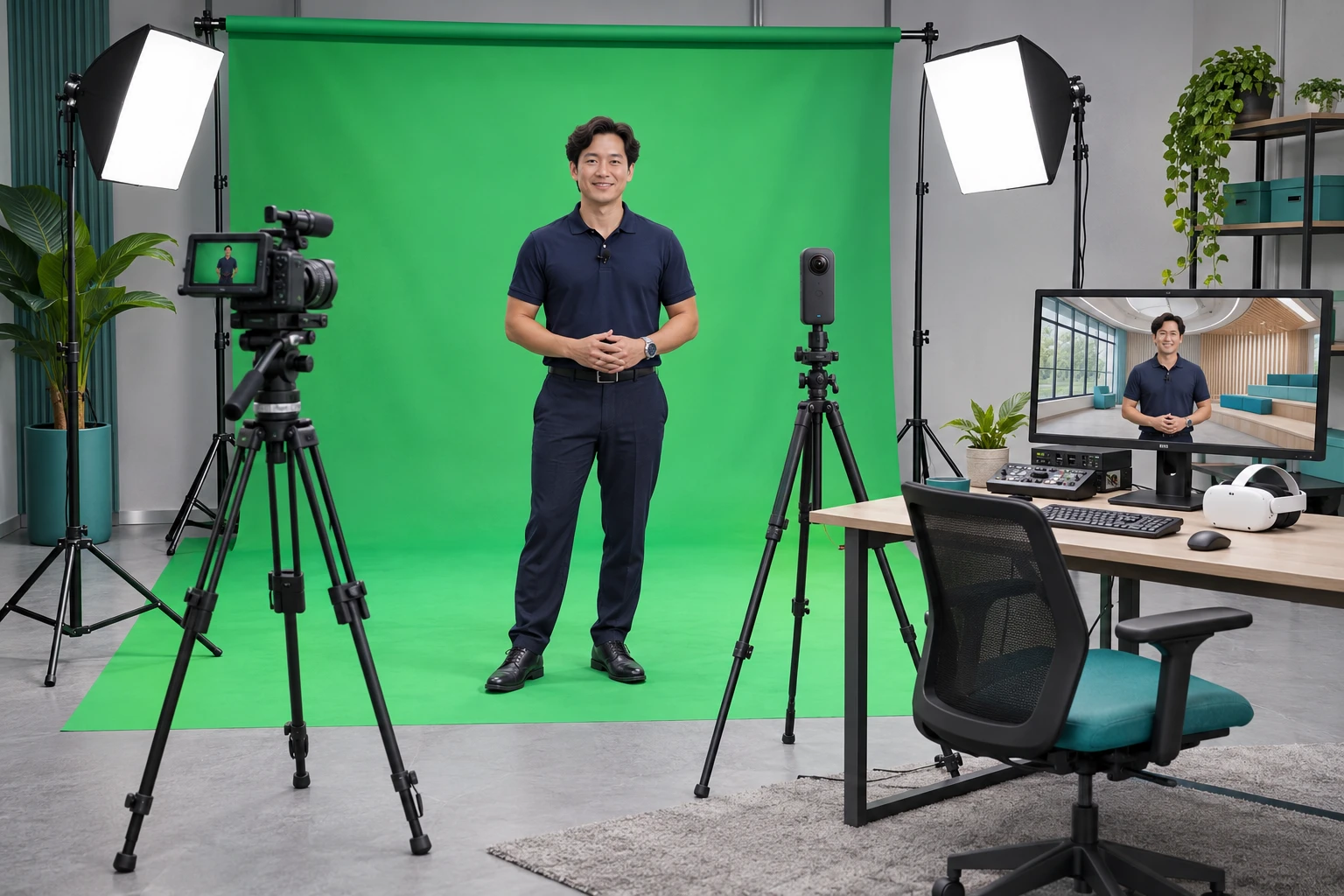
Match the experience to the right technology.

A panoramic 360 stream lets a viewer turn to look around a captured scene. An interactive 3D venue gives the visitor a navigable constructed environment. A keyed instructor feed can appear as a video surface or cutout within that venue; full volumetric capture of a person requires a separate capture system.

OBS can support compatible capture and green-screen compositing. The 3D viewer, access controls, scene interactions and multi-user service require additional software. A single green backdrop is suitable for the instructor camera; it does not surround a 360 camera with a complete keyed environment.

References: Insta360 X5 panoramic output with OBS · OBS chroma-key compositing · A-Frame 360 video presentation.

Commissioned after scope approval. This page introduces the package. It is not a working live-world demo, a deployed X360 service or an unlimited hosting plan. Hardware, configuration, world design, ongoing hosting and data services are specified separately in your quote.

Plan my immersive experience